
Artificial intelligence has significantly simplified the process of website development, but it has not made it fully automatic. Today, you can actually build a ready-made website from scratch in just a few hours using AI, but the quality of the result directly depends on how you structure the process. The tool itself does not create a strong product — it only speeds up task execution.
In 2026, the approach to website development has changed: it is no longer enough to simply “build a website.” You need to correctly formulate tasks for AI, combine automation with manual work, and understand where human control is required. This is what distinguishes a simple template website from a project that actually generates leads and sales.
Many people think it is enough to write one prompt and get a perfect result. In reality, the process consists of several stages, and at each stage AI plays its own role — from building structure to generating content and code. If you go through these stages correctly, you can get a modern, fast, and user-friendly website without unnecessary costs.
Stage 1: Idea and website logic
The first stage is the foundation of the entire project. If mistakes are made here, even the best design and code will not save the situation. That is why it is important not to rush into “generating a website,” but to clearly understand why it is needed and how it will work.
At this stage, AI acts as a tool for analysis and structuring. You can describe your niche, product, or service and receive several variations of website logic. For example, one version may focus on quick sales, while another focuses on trust and content.
At this stage, the following are usually formed:
- page structure (home, services, cases, contacts)
- user behavior scenarios
- key conversion points (where users submit requests)
But it is important to understand: AI does not know your business as deeply as you do. Therefore, all suggestions must be adapted. This is where uniqueness is created — in how you guide the user and what you emphasize.
It is also important to define your audience. If the website does not meet user expectations, it will not work even with perfect technical implementation.
Stage 2: Structure and content creation
After defining the logic, content creation begins. This is one of the strongest use cases of AI, as it allows you to quickly generate a base for all website pages.
Instead of writing content manually from scratch, you can immediately generate:
- headlines for each block
- service descriptions
- homepage text
- FAQ answers
This significantly speeds up the process, but there is an important nuance. Generated text often looks correct but superficial. It lacks specifics, real examples, and strong value propositions.
That is why content must be refined:
- add real cases or experience
- adapt wording to your niche
- make the text more “human”
You should also think about SEO at this stage. AI can suggest keywords and structure, but proper optimization requires manual control.
Stage 3: Design with AI
Once the structure and content are ready, you can move on to design. AI allows you to generate a visual style based on a description: colors, fonts, layout, and composition.
This is especially useful for a quick start when you need a basic design version. You can test several concepts and choose the best one.
AI helps create:
- basic UI/UX layout
- color scheme and typography
- visual blocks for pages
However, it is important to understand that such designs often look generic. They do not reflect brand details and may resemble other websites.
That is why the correct approach is to use AI as a base and refine the design manually. This provides a balance between speed and uniqueness.
Stage 4: Code generation
One of the most powerful capabilities of AI is code generation. You can get a ready-made page template or even a full website with basic functionality.
For example, you can generate:
- responsive layout (HTML/CSS)
- interactive elements (JavaScript)
- components for React or other frameworks
However, there is a critical nuance. AI-generated code is rarely perfect. It may contain redundant styles, duplicates, or inefficient solutions.
Therefore, it is important to:
- review code before launch
- optimize structure
- test across devices
Without this, the website may be slow or unstable.
Stage 5: SEO and optimization
After creating the website, it is important to conduct an SEO audit to make it visible in search engines. AI can help with basic optimization, but it cannot fully replace a comprehensive SEO strategy.
AI allows you to quickly:
- create meta title and description
- optimize content for keywords
- identify basic issues
However, SEO involves much more. It is important to consider:
- website loading speed
- URL structure
- internal linking
- user behavior
These aspects require analysis and experience, so they should not be fully delegated to AI.
Stage 6: Testing and launch
The final stage is testing and launching the website. This is where issues that were not previously visible often appear.
Before launch, you should check:
- how the site looks on mobile devices
- loading speed
- forms and buttons functionality
- accuracy of text and elements
AI can help identify some issues, but full testing is always done manually.
After that, the website can be launched and traffic acquisition can begin. It is important to understand that launch is not the end, but the beginning. Afterward, you need to analyze user behavior and continuously improve the site.
How does AI work in website creation?
Artificial intelligence in website creation does not function as a single universal tool, but rather as a set of technologies that perform different tasks at each stage of development. In essence, AI analyzes large amounts of data, identifies patterns, and based on them generates solutions — content, design, or code.
When you provide a prompt, for example: “create a website for a construction company,” AI does not invent everything from scratch. It uses knowledge of thousands of similar websites, structures, UX solutions, and content that already work in this niche. That is why the result appears logical and user-friendly.
During website creation, AI performs several key functions.
First, analysis and structure generation. Based on your input, it determines what pages are needed, what sections should be on the homepage, and how to build interaction logic. This allows you to quickly obtain a basic site architecture without lengthy planning.
Second, AI generates content. It creates texts, headlines, service descriptions, and even SEO structure. It takes into account the style of the prompt, keywords, and target audience if specified. However, it is important to understand that this content is just a base that needs to be adapted to a real business.
The third direction is design. AI can generate visual solutions: select colors, create layouts, and organize sections. It relies on modern trends and popular UI/UX patterns, so the design looks modern, but often requires customization.
Another important aspect is code generation. AI can convert text descriptions into HTML, CSS, or even components for modern frameworks. This allows a quick transition from idea to prototype. However, such code is not always optimal and requires review and refinement.
AI also helps with optimization. It can suggest ways to improve website speed, page structure, or SEO. But these recommendations are based on general rules and should be adapted to a specific project.
In short, during website creation AI acts as an assistant that:
- suggests structure and logic
- generates content
- creates design solutions
- writes code
- provides optimization suggestions
However, the key point is that it does not make final decisions. A successful website appears only when a human properly manages the process, verifies the results, and adapts them to their goals.
TOP 10 AI tools for website creation
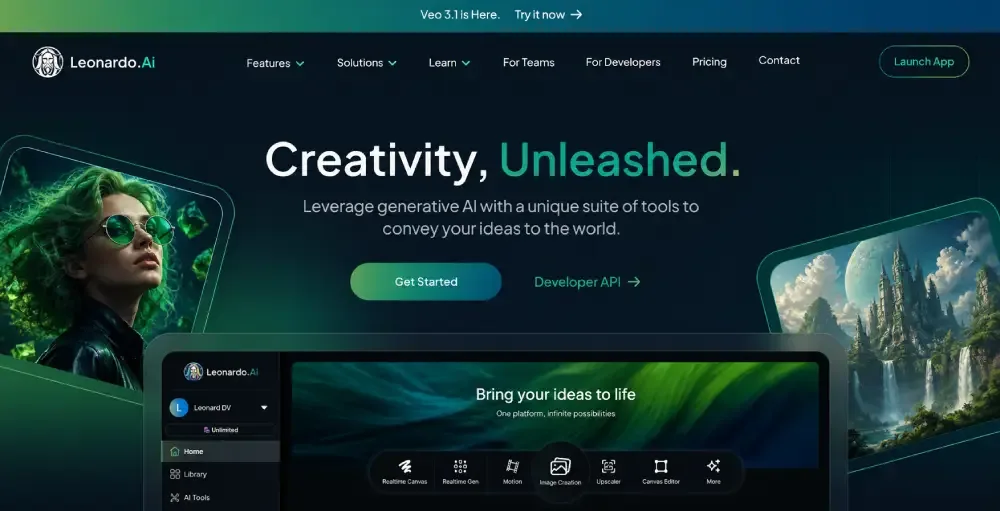
Today, the market of AI tools for website creation is developing very rapidly. Some services allow you to create a fully “turnkey,” website while others help separately with content, design, or code. The best result usually comes from combining several tools rather than using just one.
Let’s look at 10 of the most popular AI solutions used in 2026.
1. ChatGPT
One of the most versatile tools for website creation. Suitable for almost all stages — from idea to code generation.
It can be used to build website structure, write content, generate HTML/CSS, or even logic for React. Especially useful at the start when you need to quickly create a foundation.
The advantage is flexibility — the result depends directly on the quality of the prompt.
2. Wix ADI
A website builder with built-in AI that allows you to create a website in just a few minutes. You answer a few questions, and the system generates a ready-made site.
Suitable for small businesses, portfolios, or simple landing pages. The downside is limited flexibility and scalability.
3. Framer AI
A modern tool that combines design and website generation. It allows you to create stylish, animated websites with minimal effort.
Especially suitable for startups and presentation websites where appearance and speed matter.
4. Webflow AI
A powerful platform for creating websites with advanced design and animation capabilities. AI is used here for content generation and design assistance.
This is a more professional-level solution suitable for complex and commercial projects.
5. Durable AI
A tool that allows you to create a website in just 30–60 seconds. Designed for entrepreneurs who need quick results without diving into details.
Great for testing niches or quick launches, but not for complex projects.
6. 10Web AI Builder
A service that generates websites based on WordPress. It can recreate existing sites or build new ones from scratch.
The advantage is compatibility with the WordPress ecosystem and scalability.
7. Midjourney
Not a website builder, but one of the best tools for creating visual content. Used to generate banners, illustrations, and graphics.
Helps make a website more unique and visually appealing.
8. DALL·E
Another image generation tool. Suitable for creating icons, illustrations, and custom visuals.
Often used alongside text-based AI tools for full website content creation.
9. GitHub Copilot
An AI assistant for developers that helps write code faster. Suitable for building complex websites and web applications.
It does not create a full website but significantly accelerates development and reduces errors.
10. Canva AI
A tool for creating graphics, banners, and visual content. AI helps quickly generate design elements without a designer.
Ideal for simple but stylish visuals.
AI tools have significantly changed the approach to website creation: they eliminate routine tasks, speed up launch, and make development accessible even for those without technical experience. What once required a team of specialists and weeks of work can now be done much faster by combining the right tools.
However, it is important to understand that no AI fully replaces humans. It generates a foundation — structure, content, design, or code — but the final quality depends on you. Without refinement, a website risks remaining generic and lacking competitive advantage.
The best approach in 2026 is combining tools. Use AI to quickly build a foundation, then refine the project: improve UX, add real experience to content, optimize code, and build an SEO strategy. This combination delivers real results that work for business.
Ultimately, AI is not a replacement for development — it is its evolution. Those who learn to use these tools effectively gain a serious advantage: speed, flexibility, and the ability to launch high-quality websites with minimal costs.