
Today, creating your own website is no longer a complex technical process that requires deep programming knowledge. Thanks to modern content management systems like WordPress, anyone can launch their own site — from a simple blog to a full-fledged business resource. WordPress remains the most popular solution in the world, as it combines ease of use, flexibility, and a huge number of ready-made tools.
In this article, we will go through the entire process of creating a website from scratch — from preparation to launch and first visitors.
What is WordPress and why choose it?
WordPress is a content management system (CMS) that allows you to create and manage a website without writing code. In fact, it is a ready-made “engine” for a website that runs on your hosting and gives full control over the entire project — from design to functionality. This is why WordPress is suitable both for simple pages and complex solutions, including online stores, corporate websites, or services with a large number of users.
Why choose WordPress:
- Ease of use
The interface is clear even for beginners, and most actions are performed through a visual editor. - Flexibility and scalability
You can start with a simple site and gradually expand it into a complex system. - Large number of plugins
There are ready-made solutions for SEO, security, speed, forms, analytics, and e-commerce. - Thousands of ready-made designs
Themes allow you to quickly change the look of a website without developing it from scratch. - Open source
You are not tied to the platform — the site can be transferred, modified, and developed without limitations. - Active community
A large number of guides, forums, and specialists greatly simplify solving any tasks.
First stage: choosing a domain and hosting

Before moving on to creating a website, you need to prepare the basic technical foundation. Any website consists of two key elements: a domain name and hosting. Without them, a site simply cannot work or be accessible on the internet.
A domain is the address of your website that users enter in the browser. Hosting is the server where all website files are stored and from which it is loaded. This stage lays the foundation for the future project, so it is important to approach the choice carefully.
How to choose a domain name correctly
- Short and simple
The easier the domain is to read and remember, the better for users. - No complex characters
It is better to avoid hyphens, numbers, and complex combinations that may cause confusion. - Relevance to the topic
The name should be associated with your business or activity. - Correct domain zone
For Ukraine — .ua or .com.ua, for international projects — .com. - Availability check
Before registration, make sure the domain is not already taken.
Hosting comparison in Ukraine
When choosing hosting for WordPress, it is important to look not only at specifications but also at the real prices you will pay. In Ukraine, most providers offer similar functionality, but the difference appears in cost, stability, and support quality.
| Provider | Approximate price | Payment format | What you get |
|---|---|---|---|
| Hostpro | ~150–220 UAH/month (≈ 1800–2600 UAH/year) | monthly / yearly | stable Ukrainian hosting, auto WordPress install, SSL |
| Mirohost | ~120–250 UAH/month (≈ 1500–3000 UAH/year) | monthly / yearly | administration, backups, stable performance |
| Ukraine.com.ua | ~100–200 UAH/month (≈ 1200–2400 UAH/year) | monthly / yearly | easy start, popular among beginners |
| CityHost | ~120–300 UAH/month | monthly / yearly | NVMe drives, speed, custom panel |
| Ukrnames | ~290 UAH/month (≈ 3000+ UAH/year) | monthly / yearly | more resources, suitable for multiple sites |
| Hostinger | ~$2–4/month (≈ 80–160 UAH/month) | long-term payment | cheap start, but sometimes compromises in stability |
How to read these prices correctly
- Cheap plans are usually for 1–3 year payments
If you pay monthly — the price is almost always higher. - Ukrainian hosting is often more expensive than foreign but more stable
This is important for local business and SEO. - Real prices grow over time
For example, in 2026 providers have already raised prices due to infrastructure costs
Installing WordPress
After the domain is connected to hosting, you can move on to the most important stage — installing WordPress. From this moment, the “life” of your website begins, as the system becomes available and ready to work.
In most cases today, there is no need to complicate anything — hosting already has built-in tools that allow you to install WordPress in just a few minutes. This is the easiest and fastest option, suitable even for those who are creating a website for the first time.
Automatic installation via hosting
The most convenient way is to use automatic installation. In the control panel (for example, cPanel or a custom hosting panel), there is usually a separate section for installing popular CMS.
The process looks approximately like this:
- select WordPress from the list of available systems
- specify the domain where the site will be installed
- set the site name, admin login, and password
- the system automatically creates a database and configures everything needed
After a few minutes, the site is already available, and the admin panel opens at an address like /wp-admin.
This option is optimal because it eliminates errors and saves time.
Manual installation (as an alternative)
There is also a classic installation method used by more experienced users. It involves uploading WordPress files to the server, creating a database, and manually configuring the setup.
This approach gives more control, but for beginners it is usually unnecessary. Most tasks are solved with automatic installation without any limitations.
Access to the admin panel
After installation, the most important thing is access to the administrative part of the site. This is where all further work takes place: creating pages, setting up the design, installing plugins.
The admin panel is available at the standard address:
https://your-site/wp-admin
At this stage, it is important to pay attention to security: do not use simple passwords and do not leave default settings.
What to do immediately after installation
After the first login, do not rush into design. There are several basic things that should be configured right away:
- enable HTTPS (SSL certificate) if it is not already active
- check the site language and time zone
- change default permalink settings (so URLs look clean)
- remove unnecessary default plugins and themes
These small details are often ignored, but they form the correct technical foundation.
Website design: choosing and setting up a WordPress theme
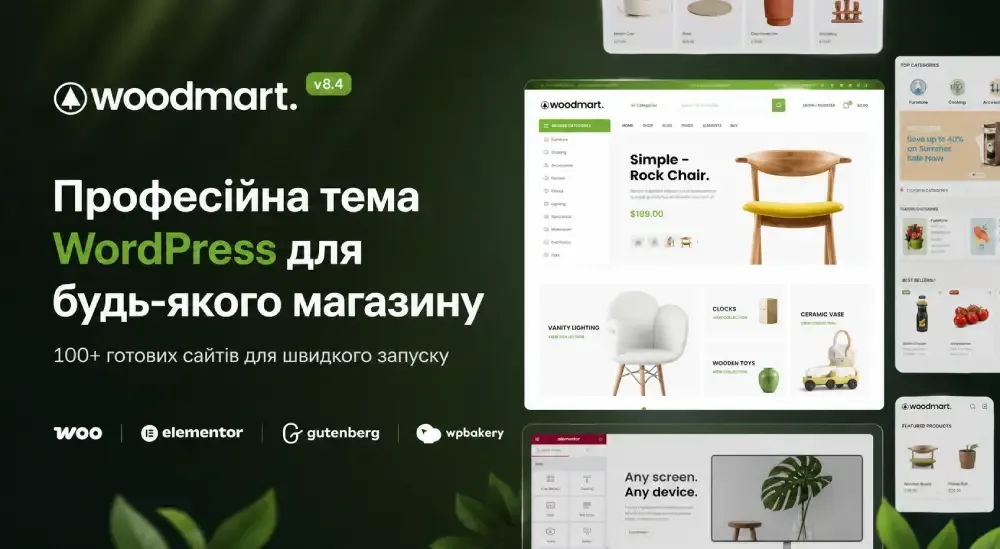
After installing WordPress, the site looks very basic — essentially just a “framework” without proper design. The theme determines how the site looks to users: page structure, fonts, colors, layout — all of this is defined by the selected theme.
It is important to understand that a theme is not just a “wrapper,” but the foundation of the visual part of the website. It affects not only appearance but also performance, mobile responsiveness, and ease of further editing.
How to choose a WordPress theme
- Simplicity and speed
Choose lightweight themes without unnecessary effects. They load faster and work more reliably. - Responsiveness
The site should look good on phones, tablets, and desktops. - Plugin compatibility
It is important that the theme works correctly with page builders and SEO tools. - Regular updates
This ensures compatibility with new WordPress versions. - Demo templates
Ready-made examples help launch a site quickly without designing from scratch.
Where to find themes
- Official WordPress directory
Free themes that can be installed directly from the admin panel. - Marketplaces
Paid options with more flexible design and extended functionality. - Theme developers
Some companies offer their own solutions with ongoing support.
Popular starter themes
- Astra — versatile, lightweight, suitable for almost any site
- Kadence — modern design and easy setup
- GeneratePress — minimalism and high speed
- OceanWP — flexibility and e-commerce support
These options are often used by beginners because they allow you to achieve a good result quickly without complex setup.
How to install and activate a theme
The process is very simple:
- go to the “Appearance” section in the admin panel
- add a new theme from the catalog or upload a file
- activate it
After that, the site immediately changes its appearance.
Customizing the theme
After activation, the most interesting part begins — adapting the design to your needs. WordPress has a visual editor where you can change settings in real time.
Main things to configure:
- logo and site name
- colors and fonts
- navigation menu
- homepage structure
- footer and additional blocks
If standard features are not enough, you can use page builders. They allow you to literally “drag and drop” elements and create designs without code.
What to keep in mind
- do not choose a theme only because of a beautiful demo — performance matters
- complex themes are often overloaded with features that are not used
- it is better to start with a simple solution and gradually expand the site
Essential WordPress plugins: what you really need at the start
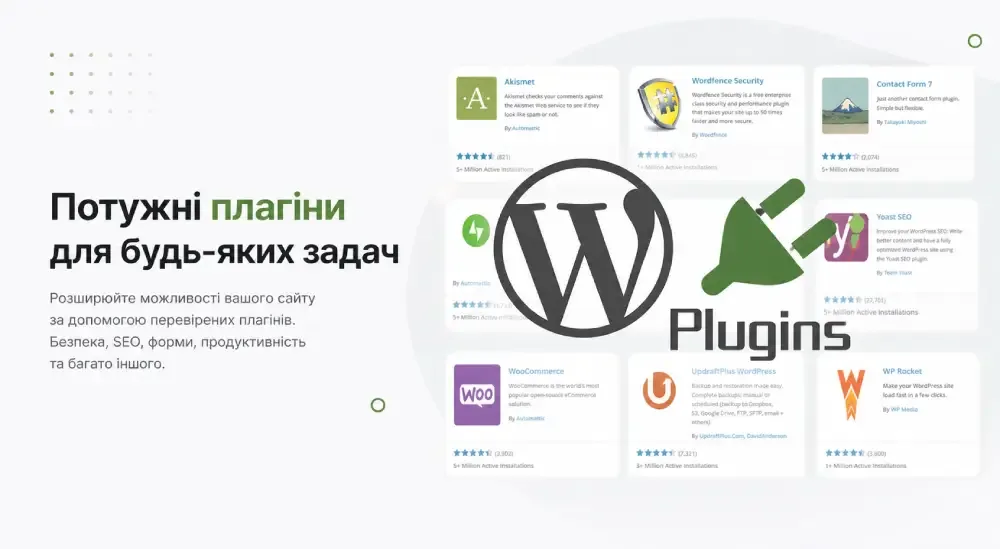
After choosing a design, the next step is expanding the functionality of the website. WordPress itself provides only basic features, while all additional functions are implemented through plugins. They allow you to turn a simple site into a full-fledged tool: with SEO, security, analytics, forms, and other important elements.
However, it is important not to make a common mistake — do not try to install “everything at once.” Too many plugins often lead to slow performance, conflicts, and technical issues. The correct approach is to use a minimal set that covers core tasks.
Basic plugin categories you cannot do without
- SEO optimization
These plugins help configure meta tags, page structure, and indexing. Without them, a site has almost no chance of getting stable search traffic. - Caching and speed
They create “ready-made” versions of pages and significantly speed up loading. This is important for both users and Google rankings. - Security
Protection against attacks, password brute-force attempts, and malicious code. Even a small site can be hacked without protection. - Backups
Allows you to restore the site in case of errors or failures. This is critically important, especially after updates or changes. - Image optimization
Automatically reduces image size without quality loss, directly affecting speed. - Contact forms
Allow you to receive requests, messages, or inquiries from users. - E-commerce (if needed)
If you plan to sell products, additional functionality for orders, payments, and products is required.
Examples of popular solutions
- Yoast SEO or Rank Math — for search optimization
- WP Super Cache or LiteSpeed Cache — for speeding up the site
- Wordfence Security — for basic protection
- UpdraftPlus — for backups
- Smush — for image optimization
- Contact Form 7 — for creating forms
- WooCommerce — for online stores
How to fill your website with content and make it useful
After setting up the technical part, the website is essentially ready to work, but without content it has no value for users or search engines. Content determines whether the site will generate traffic, leads, or sales. In WordPress, this process is simplified as much as possible, but it is important to understand the structure logic correctly.
The system has two main types of content: pages and posts. Pages are used for static information — they form the “skeleton” of the site. Posts, on the other hand, are used for regular content such as articles or news. This separation allows you to build both simple business card sites and large informational resources.
What pages should be created at the start
- Homepage
This is the first thing a user sees. It should clearly show who you are, what you offer, and why choose you. - About page
This section builds trust. People want to understand who they are dealing with. - Services or products
The main block describing what you offer. The clearer and more detailed — the better. - Contacts
A mandatory page with phone, email, address, and contact form. - Blog
Allows you to publish content regularly and get search traffic. - Privacy policy
Required if the site collects any user data.
How the WordPress editor works
Content in WordPress is created using a block editor. This means that a page is built like a constructor — from separate elements. Each block can be edited, moved, and customized to fit your needs.
- text is added as a separate block
- images are inserted in a few clicks
- buttons, columns, and other elements are easily combined
- all changes are visible immediately
This approach allows you to quickly create pages without technical knowledge and make them visually appealing.
SEO and website speed: how to make your site visible and fast
After the website is filled with content, the logical question arises — how to make it appear in Google and ensure users do not leave due to slow loading. This is where two critically important areas come in: SEO and website speed.
SEO is not a single action but a combination of settings and approaches that help search engines understand your site and display it in search results. Speed, in turn, affects both Google rankings and user behavior. If a site loads slowly, most users simply will not wait.
Basic SEO settings you need to configure
- Permalink structure
Page URLs should be clear and readable, without unnecessary characters. - Meta titles and descriptions
Each page should have its own title and description — these are shown in search results. - Logical heading structure
One H1 per page and a proper H2–H3 hierarchy help Google understand the content. - XML sitemap
Helps search engines index all pages faster. - Analytics integration
Provides insight into how users find and use your site.
What affects website speed
- Image optimization
Large images are one of the main causes of slow loading. - Page caching
Allows faster loading through saved versions of pages. - Hosting quality
Even a perfectly configured site will be slow on a weak server. - Number of plugins
The more plugins — the higher the load. - Using a CDN
Improves loading speed for users in different regions.
Common mistakes when creating a website and how to avoid them
At the start, many people think the main goal is just to “launch a website.” But it is at the initial stage that mistakes are made, which later become difficult and expensive to fix. Some of them are not immediately noticeable, but over time they affect speed, security, and even search rankings.
To avoid these problems, it is important to understand the most common mistakes and how to fix them in advance.
Main mistakes and the right approach
| Mistake | What it leads to | Correct approach |
|---|---|---|
| Choosing the cheapest hosting | Slow website, downtime, crashes | Choose stable mid-range hosting |
| No backups | Website loss due to errors or hacking | Set up automatic backups |
| Using simple passwords | Easy hacking | Use strong passwords and 2FA |
| Too many plugins | Slowdowns, conflicts, errors | Install only necessary ones |
| Ignoring updates | Vulnerabilities and instability | Regularly update the system and plugins |
| Large unoptimized images | Slow page loading | Compress images and use modern formats |
| No SSL | Browser warnings, lower Google rankings | Enable HTTPS |
| Non-responsive design | Loss of mobile traffic | Use responsive themes |
| No SEO setup | Website not visible in search | Set up basic SEO from the start |
These mistakes may seem minor, but they are often the main reason why a website does not perform as expected. Many of them arise from rushing or trying to save money at the beginning, but in the long run, they only complicate further development.
If you build a solid foundation from the start — your website will run stably, quickly, and without constant technical problems.
Website cost on WordPress in 2026: real expenses
Many people think that a WordPress website is free. Formally, this is true, as the system itself costs nothing. But in practice, creating and maintaining a website always involves expenses. It is important to understand them in advance to avoid unexpected surprises after launch.
The cost depends on how you create the site: on your own, with a freelancer, or through a studio. But even when building a site yourself, there are basic costs that cannot be avoided.
Main website costs (minimum start)
| Expense item | Average price | Payment frequency |
|---|---|---|
| Domain | 300–800 UAH | once per year |
| Hosting | 1500–3000 UAH | once per year |
| Theme (design) | 0–2000 UAH | one-time |
| Plugins (some paid) | 0–3000 UAH | once per year |
| SSL certificate | 0 UAH (often free) | — |
As a result:
minimum starting budget — approximately 2000–8000 UAH
Additional costs over time
| Expense item | Average price | Comment |
|---|---|---|
| SEO tools | 1000–5000 UAH/year | for promotion |
| Design / improvements | 2000–15000 UAH | depends on tasks |
| Paid integrations (CRM, payments) | 1000–10000 UAH | if needed |
| Content (texts, photos) | 1000–10000 UAH | often underestimated |
| Advertising (Google / social media) | from 2000 UAH/month | optional |
How much a WordPress website costs with us
If you compare building a website yourself and working with a team, the difference is noticeable immediately — not only in price but also in the result. A self-made approach often means wasted time, technical errors, and constant revisions. Working with professionals means a fast launch and a clear result without experimentation.
We offer website development on WordPress tailored to real business needs: not just “to have a website,” but to make it work — bringing leads, traffic, and clients.
Our website development packages
| Package | Price | Best for | Includes |
|---|---|---|---|
| Start | from 25,000 UAH | small businesses, services, project testing | basic structure, responsive design, WordPress setup, basic SEO |
| Business | from 40,000 UAH | companies that want steady lead flow | custom structure, UX design, advanced SEO, speed optimization |
| Pro | from 70,000 UAH | large-scale projects | custom design, complex functionality, integrations (CRM, payments), maximum optimization |
Why choose us
- Focus on results, not just design
We build websites that work for business goals, not just “look good.” - Correct structure from the start
The site is built with SEO and user logic in mind. - Speed optimization and solid technical base
No overloaded themes or unnecessary plugins that later “kill” the site. - Time saving
What takes weeks or months alone is done in days. - Support and development
You are not left alone with your site after launch. - Experience and proven solutions
We use what really works instead of experimenting on your project.
Creating a WordPress website from scratch is a completely achievable task that can be done independently even without technical experience. However, it is important to understand that this is not a one-time action but a process that includes setup, development, and maintenance.
If approached correctly, WordPress can become a powerful tool for growing any project. But the difference between “just a website” and an “effective website” is always determined by details — structure, speed, and quality of implementation.
These mistakes may seem minor, but they are often the main reason why a website does not perform as expected. Many of them arise from rushing or trying to save money at the beginning, but in the long run, they only complicate further development.
If you build a solid foundation from the start — your website will run stably, quickly, and without constant technical problems.
Website cost on WordPress in 2026: real expenses
Many people think that a WordPress website is free. Formally, this is true, as the system itself costs nothing. But in practice, creating and maintaining a website always involves expenses. It is important to understand them in advance to avoid unexpected surprises after launch.
The cost depends on how you create the site: on your own, with a freelancer, or through a studio. But even when building a site yourself, there are basic costs that cannot be avoided.
Main website costs (minimum start)
| Expense item | Average price | Payment frequency |
|---|---|---|
| Domain | 300–800 UAH | once per year |
| Hosting | 1500–3000 UAH | once per year |
| Theme (design) | 0–2000 UAH | one-time |
| Plugins (some paid) | 0–3000 UAH | once per year |
| SSL certificate | 0 UAH (often free) | — |
As a result:
minimum starting budget — approximately 2000–8000 UAH
Additional costs over time
| Expense item | Average price | Comment |
|---|---|---|
| SEO tools | 1000–5000 UAH/year | for promotion |
| Design / improvements | 2000–15000 UAH | depends on tasks |
| Paid integrations (CRM, payments) | 1000–10000 UAH | if needed |
| Content (texts, photos) | 1000–10000 UAH | often underestimated |
| Advertising (Google / social media) | from 2000 UAH/month | optional |
How much a WordPress website costs with us
If you compare building a website yourself and working with a team, the difference is noticeable immediately — not only in price but also in the result. A self-made approach often means wasted time, technical errors, and constant revisions. Working with professionals means a fast launch and a clear result without experimentation.
We offer website development on WordPress tailored to real business needs: not just “to have a website,” but to make it work — bringing leads, traffic, and clients.
Our website development packages
| Package | Price | Best for | Includes |
|---|---|---|---|
| Start | from 25,000 UAH | small businesses, services, project testing | basic structure, responsive design, WordPress setup, basic SEO |
| Business | from 40,000 UAH | companies that want steady lead flow | custom structure, UX design, advanced SEO, speed optimization |
| Pro | from 70,000 UAH | large-scale projects | custom design, complex functionality, integrations (CRM, payments), maximum optimization |
Why choose us
- Focus on results, not just design
We build websites that work for business goals, not just “look good.” - Correct structure from the start
The site is built with SEO and user logic in mind. - Speed optimization and solid technical base
No overloaded themes or unnecessary plugins that later “kill” the site. - Time saving
What takes weeks or months alone is done in days. - Support and development
You are not left alone with your site after launch. - Experience and proven solutions
We use proven approaches that really work instead of experimenting on your project.
Creating a WordPress website from scratch is a completely achievable task that can be done independently even without technical experience. However, it is important to understand that this is not a one-time action but a process that includes setup, development, and maintenance.
If approached correctly, WordPress can become a powerful tool for growing any project. But the difference between “just a website” and an “effective website” is always determined by details — structure, speed, and quality of implementation.